Spotify plays and saves measure two different things
Plays measure reach and saves measure intent, and they belong to different moments of a release. Which of the two is worth chasing, and when.
 By Ines Marchetti
Two tracks can post the same stream count and behave nothing alike. One goes quiet the week after release. The other keeps turning up in people's own libraries months later. Usually the difference is saves, and the two counters are not two readings of the same thing. One records time spent, the other records a decision, and they do not even live in the same place: the play figure sits in public beside the track, the save figure in a dashboard only you can open. Here is what each one can honestly tell you, and what to change when they disagree.
One number is public, the other is yours alone
Open any release in the Spotify app and there is a play figure beside each track, in front of everyone, and no save figure anywhere near it. Saves are reported to you inside Spotify for Artists and to nobody else. That one difference settles what each counter is good for before you have looked at a value.
The play count does its work on strangers: it is the first hard number a visitor meets, and it reads as evidence that other people got there first. The save count cannot persuade anybody of anything, because nobody outside your dashboard will ever see it, which is why it is the more honest of the two when the question is whether a song landed. Treat the public figure as a shop window and the private one as your instrument.
Thirty seconds is the entire bar a play has to clear
Spotify's help centre for artists puts it in one line: a song stream is counted when a listener plays the song for at least 30 seconds, and a music video stream counts the same way. That is the whole test. It says nothing about whether the person finished the track, came back to it, or could name it an hour later.
A play is evidence of one thing, that somebody did not skip inside the first half minute. Two things follow. Placement alone can carry your top line, because a track running in the background of somebody else's playlist clears thirty seconds from people who never went looking for you. And the counter lags: the same page notes that streams from downloaded music are counted when the listener goes back online, which they have to do at least once every 30 days. A quiet Tuesday is not always a quiet Tuesday.
A save changes where the next listen comes from
Spotify splits your audience by where the stream started, and the definitions are published. Its audience segments page describes monthly active listeners as people who intentionally streamed your music in the past 28 days from active sources like your artist profile, your release pages, or their own library and playlists. Programmed listeners are the other side of that split, the ones who have only ever arrived through programmed sources: editorial playlists, playlists made by other listeners, sets from AI DJ, and personalized playlists such as Discover Weekly, Radio and Autoplay.
Put those two definitions side by side and the value of a save stops being a matter of taste. A save moves the track into the listener's own library, one of the active sources named in that definition, so every play that later comes out of it lands in the segment the same page says will keep streaming more in future. The same page defines super listeners as monthly active listeners who intentionally streamed 15 or more times in 28 days, which is not a threshold anyone reaches from a playlist they never chose.
The two counters run on different clocks
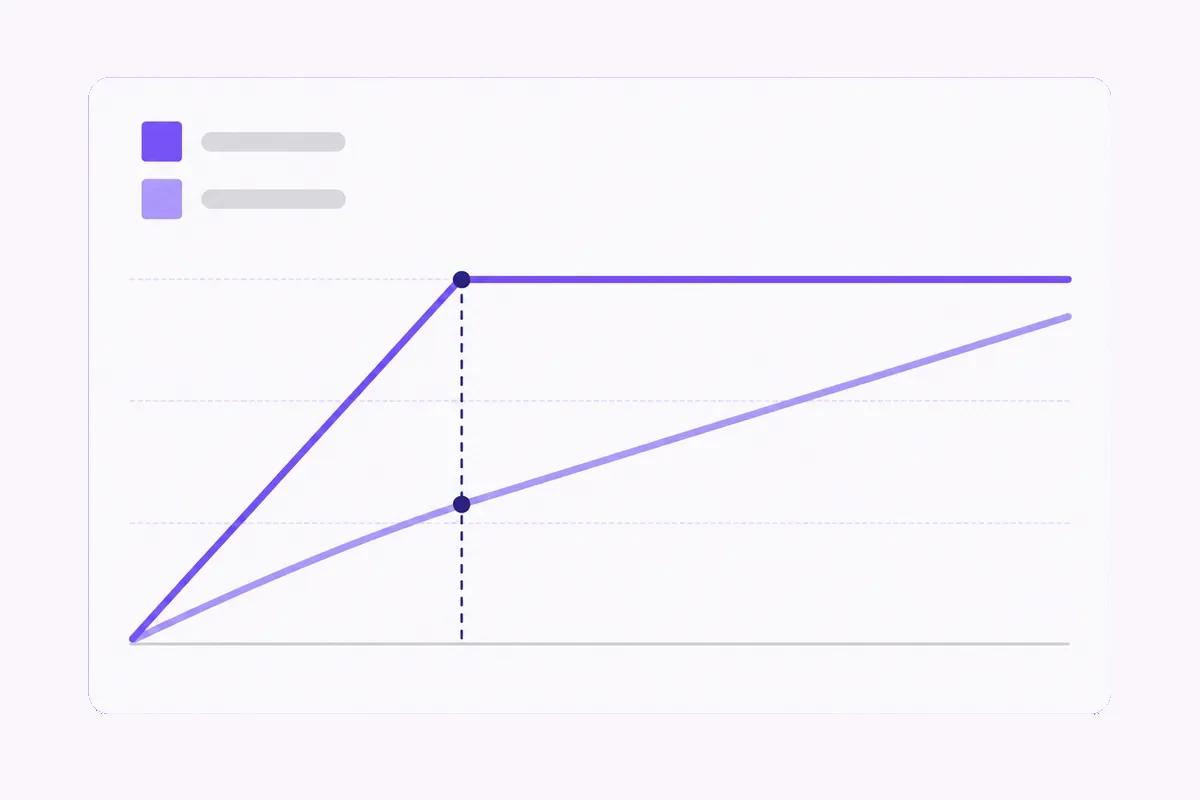
A promotion week is where the difference shows. Traffic arrives, the play line climbs steeply, and the moment the push stops it flattens, because those plays were rented from somebody else's placement. Saves behave the other way round. They come in more slowly and they do not run backwards when the budget does.
The third figure here is monthly listeners, and it rolls rather than accumulates: Spotify defines it as your total listeners in the last 28 days, active and programmed together. So an artist page that filled its header from a two week placement starts sliding a month later, and nothing has gone wrong when it does.
Compare like with like. Read plays inside the window they were pitched or bought into, and read the save rate in a window that begins after the push ended, because that is where you learn whether anything stuck to the song rather than to the campaign.
Work out your own save rate, because nobody publishes a benchmark
Raw totals reward whichever release got the most traffic, so the figure worth keeping is a rate: saves divided by listeners over the same window. Spotify reports both numbers and never turns them into a rate, which means any rate you use is one you calculated under your own rules, and that makes your own catalogue the only comparison where the method stays constant.
Log it twice per release, at day seven and at day thirty, into the same sheet each time. Two cautions come with it. A song built for background listening will always save lower than one built for repeat plays, so a long ambient piece and a three minute single are not comparable even inside one catalogue. And the source breakdown attaches to streams rather than to saves, so there is no save rate per playlist to be had. Compare windows where a single source dominated instead.
What to change when plays run ahead of saves
This is the common shape, and it points at the recording rather than at reach. Traffic arrived, the thirty second bar was cleared, and almost nobody reached for the button afterwards. The opening is the first place to look, because everyone who leaves before the half minute never registers as a stream and so never shows up in your figures as a loss.
Cut the intro back, move the hook earlier, and listen to the first forty seconds on a phone speaker, since that is where a great many first listens happen. Then put that fix into the next release and read its save rate against the one that underperformed. If it has not moved, the problem sits further into the arrangement than the intro, and more promotion will not reach it. Buying reach for a track that does not hold people is paying to show more strangers the same exit.
What it means when saves run ahead of plays
The rarer shape is the encouraging one. A modest play count under a save rate well above your own average says the song holds the people who find it, and not enough people have found it. That is a distribution problem, and the one case in this guide where spending on reach is the sensible next move rather than a way of avoiding the real one.
Before spending anything, make sure the page a curious listener lands on is finished: an artist image, a biography, the release easy to find, and a follower line that does not read as abandoned. Spotify's listener and follower help page keeps the two populations apart. Listeners are the unique accounts that streamed your tracks or music videos during a period you choose, while followers are the people who follow your artist profile, and only the second is a standing line to whatever you release next.
Where buying a number fits, and what the order touches
The honest part first. If the save rate is what is wrong, nothing sold here repairs it, and the work is the recording. What a bought count does is narrower: it changes what a stranger sees on arrival, which matters when you send people to a release from outside Spotify, from a newsletter, a shop page or another profile, where a track reading as unplayed costs you the click.
Spotify plays moves the public figure beside one recording, on ten steps from 3,000 to 200,000, and one order can cover up to 100 tracks so long as none takes less than 1,000. Spotify saves moves the private figure from 100 upward, and since that number is not on public display it buys you nothing in front of a visitor.
If the header rather than the track looks thin, Spotify monthly listeners is the line to read, since it counts people rather than plays. Spotify followers sits beside it on the same artist page and behaves differently again.
All four are set out together on the Spotify hub. Know what you are buying: Spotify's help centre states that third party promotional services advertising streams in return for payment violate its terms, and that public metrics in the app are adjusted to remove confirmed artificial streaming.
Nobody can promise you a count outlives that. On the mechanics, you paste the public Spotify address, the check resolves it and shows the release back before you pay, and everything lands in one run, with no window to choose on any Spotify service. Payment is card or cryptocurrency, chosen at checkout.
Where a service offers a refill, a count that falls back within 30 days of delivery is topped up again at no charge, and the order page holds the record: the order ID as its heading, one status out of Payment pending, Processing or Delivered, the payment state, the total, and each item with its quantity, target and price. Anything unclear goes to support@mrfollows.com, answered within 24 hours.
Quick checklist
- Log saves divided by listeners at day seven and day thirty of every release, in one sheet.
- Read plays inside the window a placement was running, and the save rate after it stopped.
- Listen back to your own first forty seconds on a phone speaker before blaming exposure.
- Check the active and programmed split so you know how much of last month arrived unchosen.
- Copy the address from the release itself, since a track link and an artist link move different counters.
Frequently asked
Do saves pay royalties?
Payment follows playback, so a track sitting in ten thousand libraries earns nothing until those people press play. What a save does is positional: it files you inside a collection somebody assembled on purpose, and the plays that later come out of that collection are the ones that count. Read saves as a forecast of streams still to come.
Can anybody else see how many saves I have?
No. The release page shows a play count beside each track and no save count anywhere, so the figure exists for you and for nobody browsing your catalogue. Worth remembering before you spend on it: a save total is a measurement you act on, not a signal a visitor can be impressed by.
Does adding a song to a playlist count as a save?
Saving a song puts it in Liked Songs, and that trip into somebody's library is the action Spotify for Artists counts as a save. Dropping the same track into a playlist of your own is a separate action, and the plays it produces later appear under listener playlists in the source breakdown. Spotify is explicit that these objects do not chain: saving an album or an artist does not save the songs, and saving a song does not save the album or the artist.
What is a good save rate?
Good means better than your own last five releases. Take each one's save rate at day thirty, use the middle value as your line, and read anything below it as the release to look at first. Set the line again every few releases, because it moves as the audience does.
Do more plays lead to more saves?
More plays put the song in front of more people, so the save total usually rises with them. The rate does not, because whether anybody keeps the track is settled in the first minute. A placement can double your streams for a fortnight while the rate stays flat, and that flat line is telling you about the recording rather than about reach.
Do saves carry over if I re-upload the track?
A save attaches to one specific track, so a fresh upload of the same song starts from zero and splits your history across two entries. Anyone who saved the first version keeps the first version. If a version has to be replaced, ask your distributor whether the audio can be swapped on the existing release.
Put it into practice
Services this guide applies to.